

PTE Core results are usually released quickly, but receiving no score within 48 hours does not necessarily mean your result is delayed.
According to Pearson, most PTE Core test takers receive their results within 2 business days, but results can take up to 5 business days. If more than five working days have passed and your result is still unavailable, you should check your myPTE account and contact Pearson if necessary.
How Long Does a PTE Core Result Take?
| Time Since Your Test | What It Means | What You Should Do |
|---|---|---|
| 0–2 business days | Normal result-processing period | Wait for Pearson's email |
| 3–5 business days | Still within Pearson's stated timeframe | Continue checking your myPTE account |
| More than 5 business days | Result is taking longer than usual | Check spam/junk and myPTE; contact Pearson if there is still no result or communication |
| Pearson says the score is ready, but you cannot view it | Possible display/technical issue | Try again within 24 hours; contact Customer Support if it remains unavailable |
Remember: Pearson refers to business or working days, not calendar days. Weekends and applicable public holidays can therefore extend the calendar time you wait.
Why Is My PTE Core Result Delayed?
A result taking longer than two days does not automatically indicate a problem with your test.
Pearson identifies two reasons that can cause results to take longer than usual:
1. Additional Score Review
Pearson's system may flag a result for additional review before it is released. Pearson describes this as a certainty check designed to make sure the score is accurate before it is issued.
This means that an additional review does not necessarily indicate that something went wrong during your test.
2. Security Review
PTE uses identity and biometric security measures at its test centres. In some cases, a security check may require further investigation before Pearson releases the result.
Pearson does not give a standard additional processing time for these reviews, so some results may take longer than the usual 5 business days.
What Should You Do If Your PTE Core Result Is Delayed?
The appropriate action depends on how long you have been waiting.
If It Has Been 5 Working Days or Less
Pearson asks candidates to wait for the result to be released. You will normally receive an email when your Score Report is ready.
You can also check your account directly instead of relying only on the email:
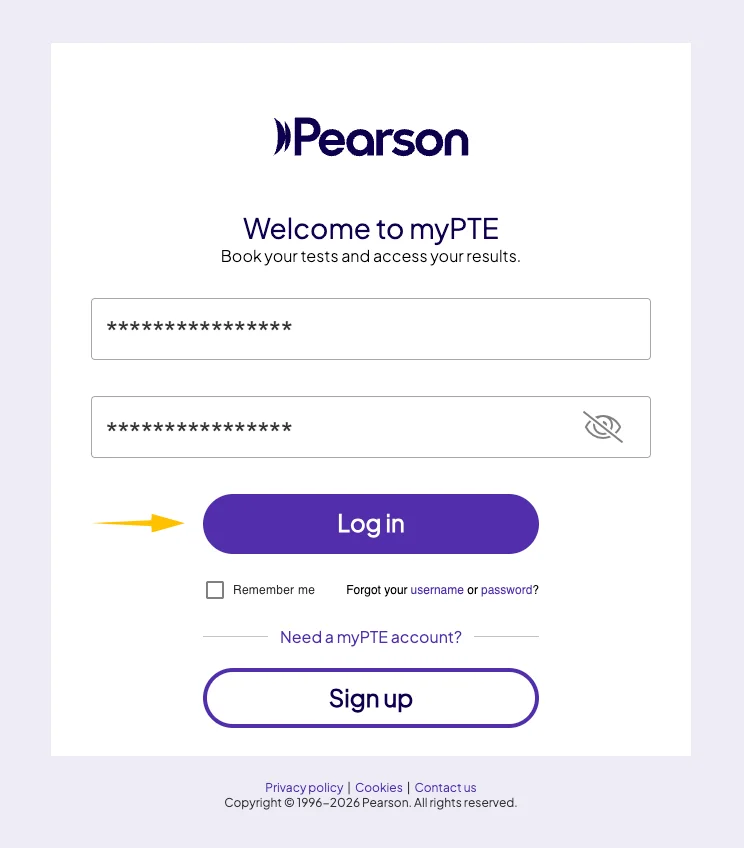
- Sign in to myPTE.
- Open My Activity.
- Find your PTE Core test.
- Look for View Score.
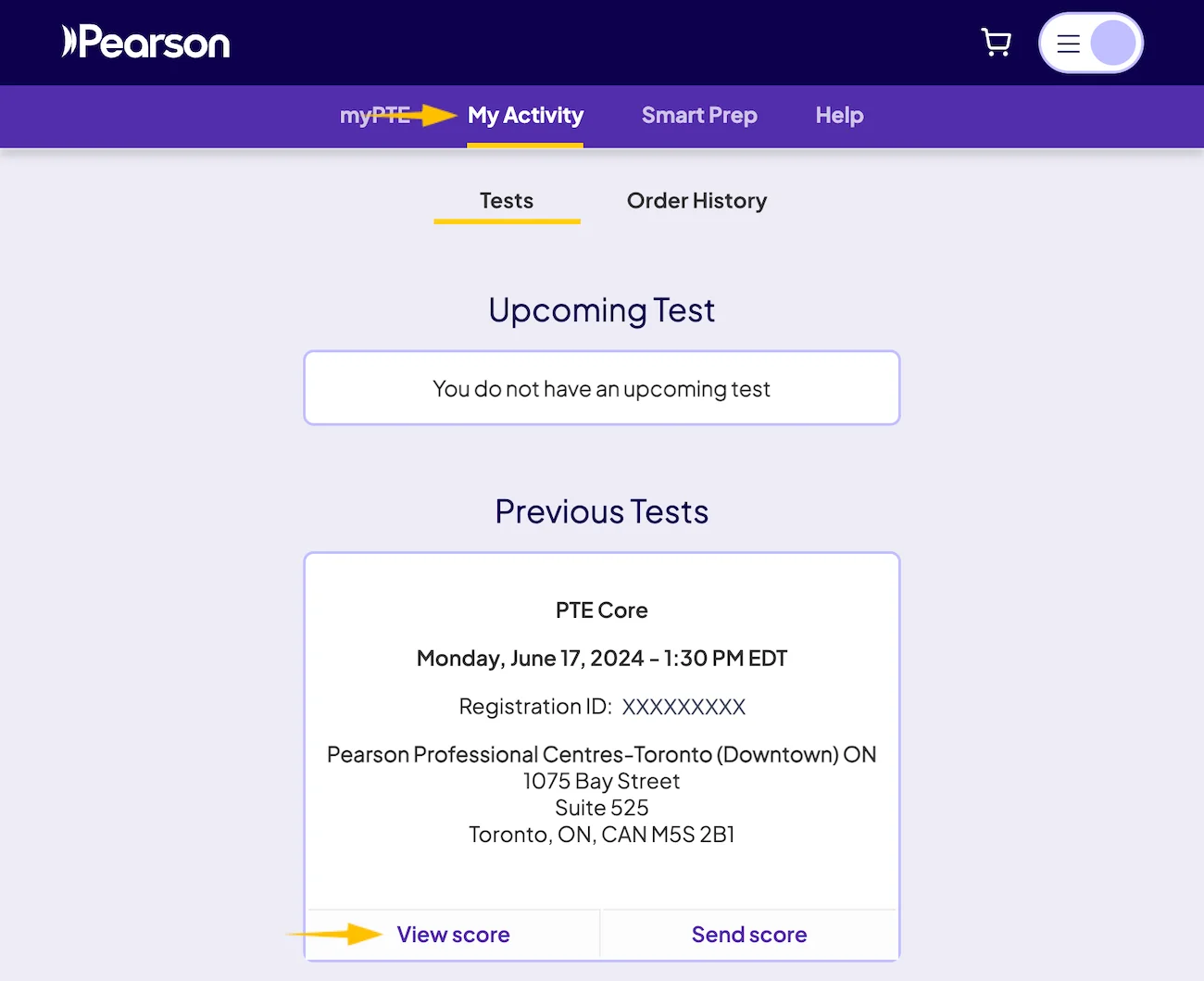
If the score has already been released, it will be available there.
If It Has Been More Than 5 Working Days
First:
- Check your spam or junk email folder.
- Sign in to myPTE and check My Activity one more time.
If there is still no result or communication, contact Pearson Customer Support so the delay can be investigated.
The steps below show how to submit your enquiry.
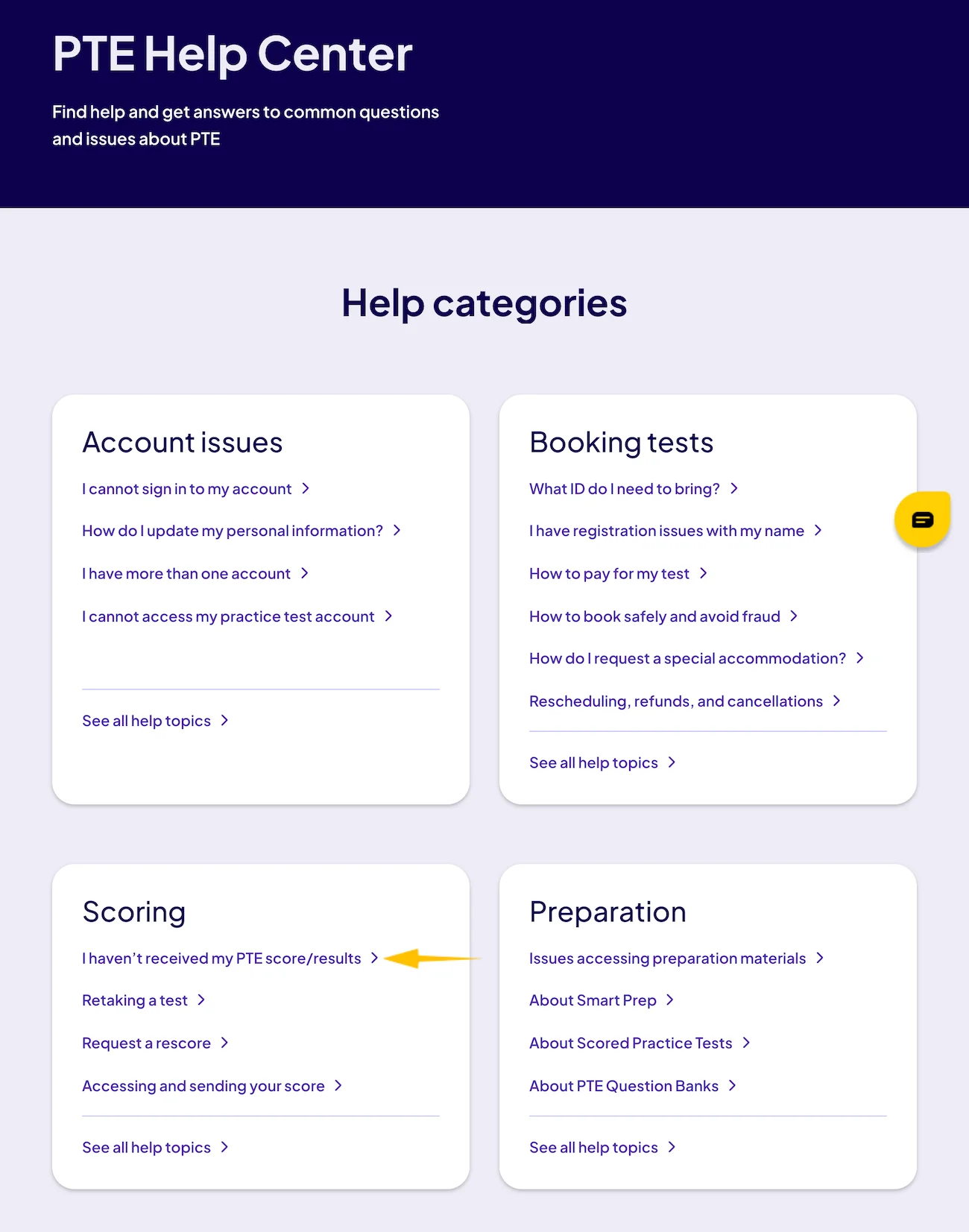
Step 1: Open the PTE Help Center
Go to the PTE Help Center and find the Scoring section. Select I haven’t received my PTE score/results.
Step 2: Select the Delayed Score Option
In the Customer Support form, choose An issue with my test score, then select My PTE Score report is delayed and click Next Page.

Step 3: Enter Your PTE Core Test Details
Select PTE Core and confirm that the issue relates to an existing booking. Then enter your PTE ID (Test Taker ID) and Registration ID so Pearson can identify the delayed test. You can find both IDs in the booking confirmation email you received after scheduling your PTE Core test.

Step 4: Enter Your Personal and Contact Details
Complete the required personal and contact fields, including your name, email address, phone number, test country, identification document, and address. Make sure the details match the information in your myPTE profile.
Step 5: Add Your Message and Submit the Request
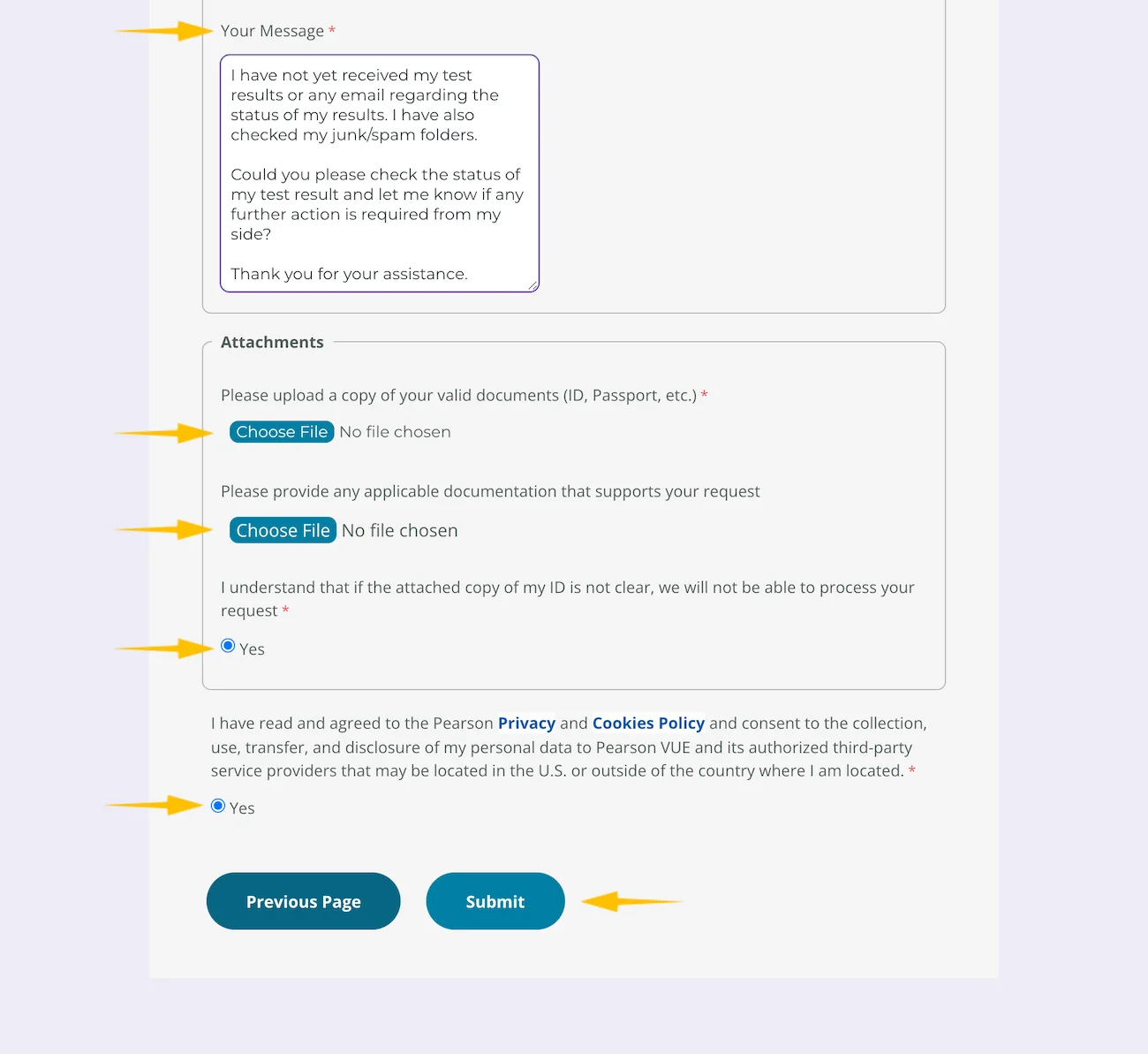
Briefly explain that your PTE Core result is delayed and ask Pearson to check its status. You can use a message such as:
Dear Support Team,
I have not yet received my test results or any email regarding the status of my results. I have also checked my junk/spam folders.
Could you please check the status of my test result and let me know if any further action is required from my side?
Thank you for your assistance.
Then upload a clear copy of your valid ID, attach any relevant supporting document if needed, confirm the required declarations, and select Submit.
What If Pearson Says Your Result Is Ready but You Cannot See It?
This is different from a result that is still being processed.
If Pearson has notified you that your Score Report is ready but:
- View Score does not work,
- the report does not appear, or
- you see a message about a technical problem displaying candidate information,
Pearson recommends trying to access the report again later. The score should normally become available within 24 hours.
If it is still unavailable after 24 hours, use Pearson Customer Support. Pearson specifically says the form is the fastest route for this type of technical issue.
Can You Book Another PTE Core Test While Your Result Is Pending?
No. You need to receive the score from your previous test before booking another PTE test.
Pearson specifically warns candidates not to create another account to bypass this restriction, as doing so can cause further delays and may breach its testing policies.
Once your result is available, you can book another test if you need to improve your score.
Once Your PTE Core Result Is Available
When your score is released, review your PTE Core result carefully to understand your overall score and Listening, Reading, Speaking, and Writing scores. If you are applying for Canadian immigration, you can then follow the appropriate steps to send your PTE Core result to IRCC.
If your score is below your target, review the PTE Core test format to identify the question types you need to improve, use targeted PTE Core practice, and complete a PTE Core mock test before your next attempt.
Frequently Asked Questions
Is it normal for a PTE Core result to take more than 48 hours?
Yes. Although most results arrive within two business days, Pearson states that processing can take up to five business days.
When should I contact Pearson about a delayed PTE Core result?
If more than five working days have passed, check your spam folder and myPTE account first. If your score is still unavailable and Pearson has not contacted you, contact Customer Support.
Why is my PTE result still pending after 5 days?
Pearson says some results require additional review for scoring certainty or security reasons. These checks can extend the normal processing time.
Can a delayed PTE Core result still be a good score?
Yes. Pearson does not state that processing time is related to how high or low your eventual score will be. A delayed result should therefore not be interpreted as an indication of your performance.